On this page
Short answer
OmniFocus has no way to share tasks with another person, and its own forums show users asking for it for years. If the people you live with only need the occasional text, stay with OmniFocus; nothing else matches its depth. If you are the household’s relay station, DuetFlow keeps the GTD structure you rely on, adds shared ownership for everyone at home, and can import your OmniFocus data on the Mac.
The pattern OmniFocus users know too well
You trust your system, so everything goes in: work projects, the tax return, the plumber, the school trip. The school trip needs a form signed by Sam. OmniFocus can hold that task, but it can’t show it to Sam. So you text a reminder, set a defer date to check whether it happened, and add a Waiting For tag. The system works because you do the coordination by hand.
That is not a flaw in OmniFocus. It was designed as a personal system, and its forum thread “Still no collaboration in OmniFocus” shows how long users have asked for more. The gap only hurts when your projects include other people who could act on them directly.
What changes with shared ownership
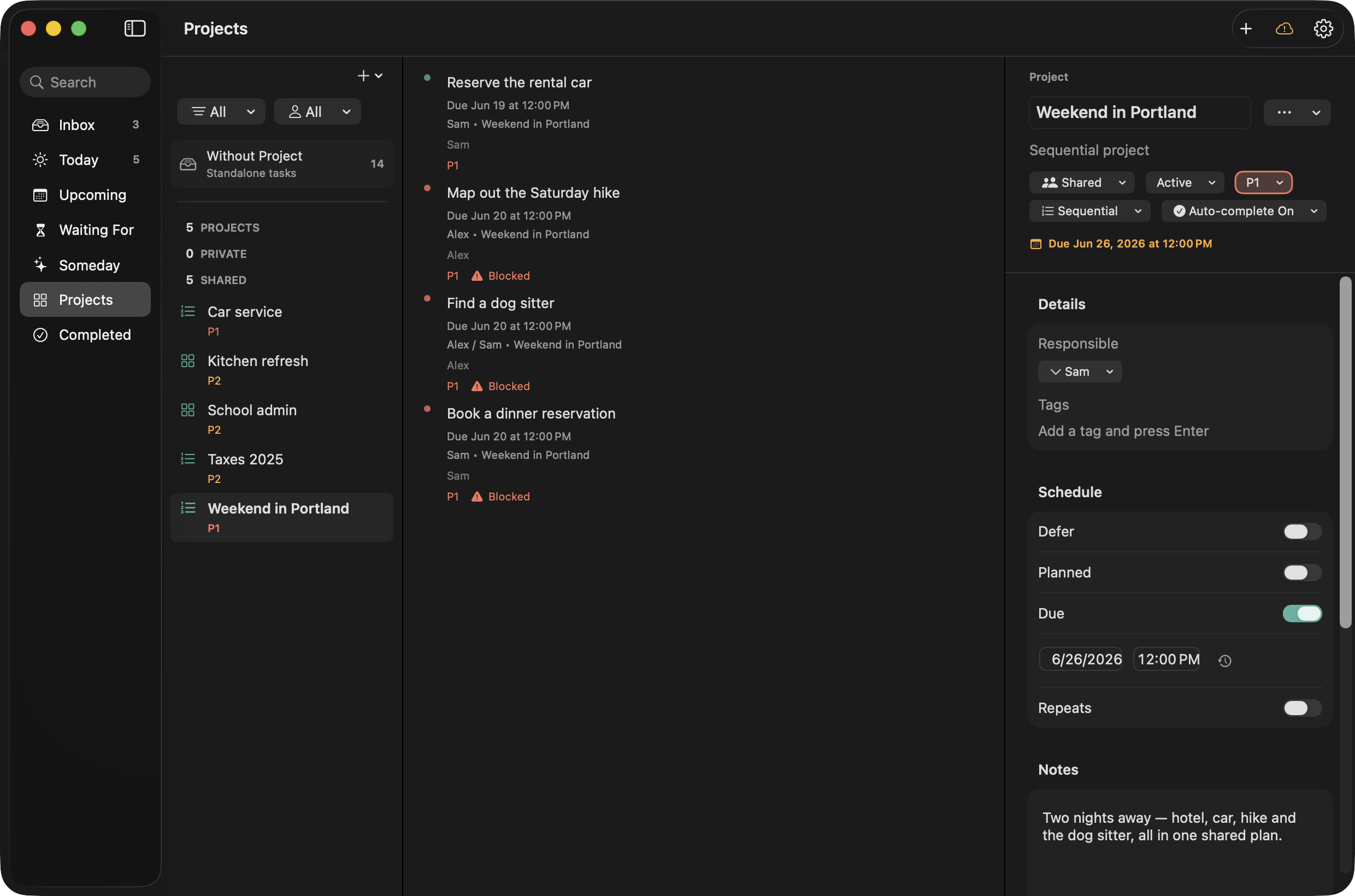
In DuetFlow the same school-trip task can be assigned to Sam alone. It appears in Sam’s Today view, Sam checks it off, and your project moves to its next step on its own, because sequential projects block later steps until earlier ones are done. You don’t need a follow-up reminder to ask whether it happened. When a task can go to whoever is free, make several people responsible with Any can complete; when everyone has to do their own part, such as packing, choose All must complete.
Your own work stays yours. Private tasks live in a separate private store on your devices and your own iCloud, never on a DuetFlow server, and nobody else in the household sees them. You still get the views a GTD habit needs: Inbox, Today, a 30-day Upcoming, Waiting For, Someday, and sequential or parallel projects.
| OmniFocus 4 | DuetFlow | |
|---|---|---|
| Share a task with someone at home | Not supported | Yes, with one, any, or all named people |
| GTD structure | Deepest available: defer dates, reviews, custom perspectives | Inbox, Today, Upcoming, Waiting For, Someday, sequential projects |
| Automation | Omni Automation scripting | Optional local AI connection on the Mac (MCP) |
| Platforms | Mac, iPhone, iPad, Apple Watch, Vision Pro; web on subscription | Mac, iPhone, iPad |
| Price | Standard $74.99 or Pro $149.99 once; or $99.99 a year with web | Planned 29.99 € once, shared through Family Sharing |
| Account | Omni Account required | No DuetFlow account |
| Moving your data | — | Imports .ofocus files and backups on the Mac |
Pricing and the account requirement are from The Omni Group’s purchase page, checked October 2026.
Where OmniFocus is still better
Be honest about what you would give up. OmniFocus Pro’s custom perspectives, its Review mode, Forecast, Apple Watch and Vision Pro apps, a web version, and mature scripting are years ahead of a new app. If your system leans on custom perspectives built over a decade, DuetFlow will feel simpler. That trade only pays off if shared ownership removes more work than those features save you.
Moving over without losing your system
On the Mac, locate your .ofocus file or a .ofocus backup, choose Import in DuetFlow, and review exactly what will be created before anything is written. DuetFlow backs up your existing data first. Import is Mac-only, and importing the same backup twice can create duplicates, so do it once and then share the household projects with the people who belong in them.
A fair test
Before switching, count the shared tasks you relayed by text last week. If it is one or two, OmniFocus plus a message is fine. If it is a dozen, the cost is the relaying, and that is what a shared system removes.
DuetFlow early access
Bring your OmniFocus habits. Bring the household too.
DuetFlow is not public yet. Join for private-beta plus launch updates, or choose only the launch announcement. The planned launch price is 29.99 € once with Family Sharing.
Email me early accessDouble opt-in. No analytics or advertising cookies. No behavioural tracking. Research questions are optional.
OmniFocus is a trademark of The Omni Group. Apple is a trademark of Apple Inc. DuetFlow is an independent product and is not affiliated with or endorsed by The Omni Group or Apple.