On this page
Direct answer
Yes, couples and families can share a list in Apple Reminders and assign a reminder to one participant. That is often enough for groceries, packing, or a short list of independent tasks. A dedicated shared responsibility app becomes useful when “one named person,” “whoever gets to it,” and “everyone does their part” must behave differently, or when one person still has to remember dependencies, waiting items, and follow-ups outside the list.
Start by giving Reminders proper credit
Reminders is already installed, familiar, and deeply integrated with Apple devices. Apple supports shared reminder lists, participant notifications, and assigning an item to one person on a shared list. Siri, widgets, dates, locations, tags, subtasks, and Smart Lists make it capable enough for many households. If you share only a small number of clear tasks, adding another app may only create more friction.
Apple documents the current sharing and assignment flow in its Reminders support guide. The real question is therefore not whether Reminders can be shared. It is whether the shared list carries enough of the household’s coordination model.
Where the difference appears
Imagine a plumber appointment. Any adult at home can book it, so assigning it to one person too early may be unnecessary. Once somebody books it, everyone may need the date. If the plumber asks for photos first, the call is blocked. If a reply is pending, the task is waiting rather than actionable. A shared list can record all of this in notes, subtasks, or conventions. But everyone has to remember what those conventions mean and keep them current.
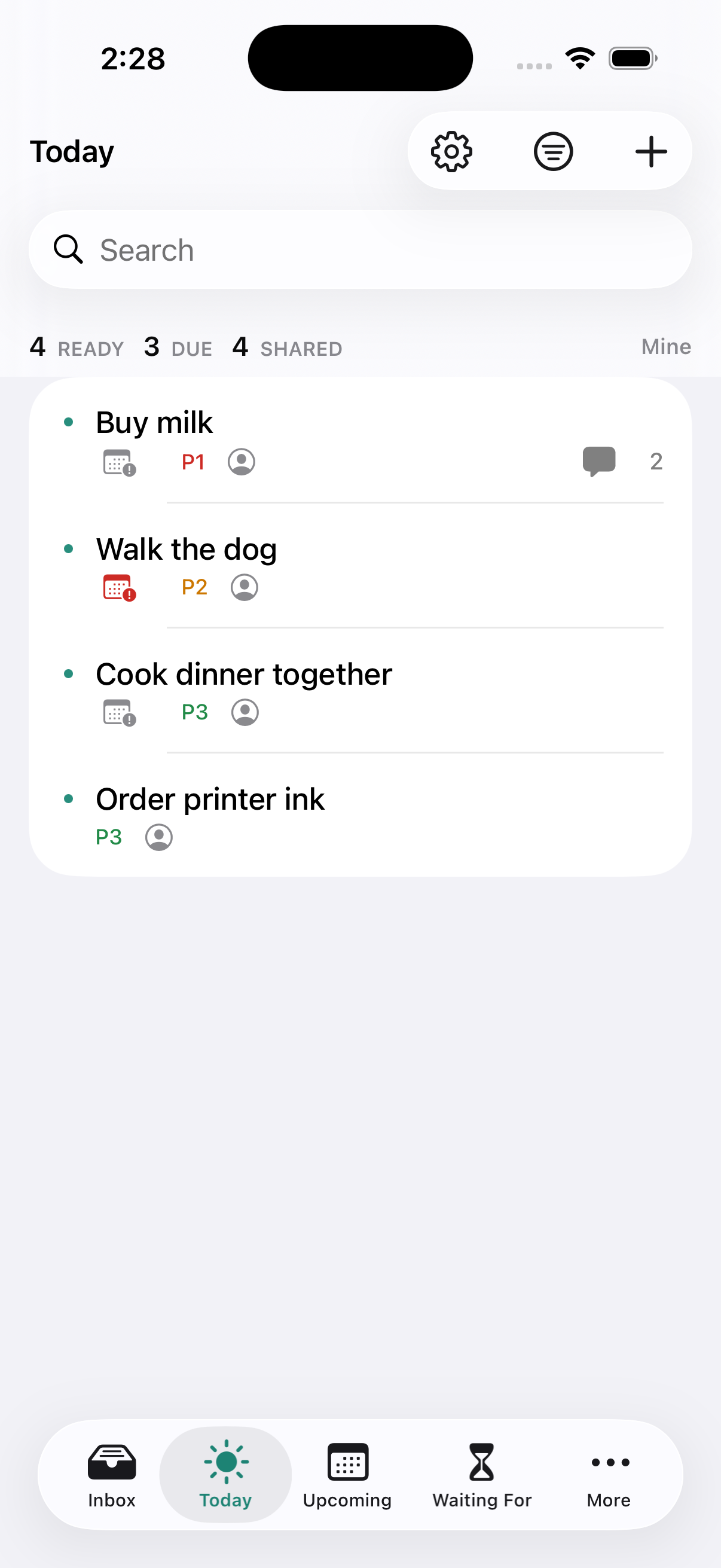
DuetFlow turns those recurring conventions into product states. A task can belong to one named person, to whoever gets to it first, to everyone with their own part, or stay fully private. Waiting For and sequential projects distinguish work that is visible from work that can actually happen now. Each person gets a focused view without losing the shared state.
| Need | Apple Reminders | DuetFlow |
|---|---|---|
| Share a list | Yes | Yes, through Apple’s sharing |
| Assign one person | Yes, on a shared list | Yes, one person responsible |
| Whoever gets to it may complete it | Leave it unassigned or use a household convention | Built in: “Any can complete” |
| Everyone must complete their own part | Create separate reminders or track it manually | One shared task with independent completion |
| Private and shared work together | Use separate personal and shared lists | One execution flow backed by separate private and shared stores |
| Waiting and project dependencies | Model them with lists, tags, subtasks, or notes | Dedicated Waiting For and sequential-project behavior |
Stay with Reminders if the list is doing its job
Reminders is probably the better choice when responsibilities are few, obvious, and independent; everyone already checks the shared list; assignments rarely change; and nobody is maintaining a second mental system behind it. It is free with the Apple devices you already own, has almost no setup cost, and covers the essentials well.
You can make it more dependable by agreeing on one shared inbox, assigning anything that truly has one owner, using due dates only when a date is real, and reviewing the list together at a predictable time. A simple system used consistently beats a richer system that nobody opens.
Consider a fuller system when the organizer is still the API
A tool change is worth considering when one person repeatedly converts messages into reminders, decides who owns ambiguous work, remembers what is waiting on someone else, and checks whether “shared” tasks have actually moved. The list is visible to everyone, but its operating model still lives in one person’s head.
DuetFlow is designed for that boundary. It does not try to replace Messages, Calendar, a shopping list, or every Apple app. It provides one responsibility layer where a handoff keeps its owner, completion rule, availability, and context after the conversation ends.
A necessary limit
Switching apps does not create shared commitment. The purpose of a stronger model is to preserve an agreement everyone has made, not to score, supervise, or silently assign work to someone else.
What DuetFlow deliberately does not copy
DuetFlow is not trying to become a universal reminder utility. It runs on Mac, iPhone, and iPad, is designed for households of two or more adults, and is centered on responsibilities rather than quick alerts. There is no web, Android, or Windows version. If cross-platform access or broad team collaboration matters, neither its current scope nor its household model is the right fit.
For the intended household, the benefit is narrower: the person who wants a full GTD-style system can use Inbox, Today, Upcoming, Waiting For, Someday, and projects, while everyone else can participate through a much smaller “what is mine now?” view.
DuetFlow early access
When shared Reminders stop being enough, try a shared system.
DuetFlow is not public yet. Join for private-beta plus launch updates, or choose only the launch announcement. The planned launch price is 29.99 € once with Family Sharing.
Email me early accessDouble opt-in. No analytics or advertising cookies. No behavioural tracking. Research questions are optional.
Apple and Reminders are trademarks of Apple Inc. DuetFlow is an independent product and is not affiliated with or endorsed by Apple.